
What Websites Use Three.js?
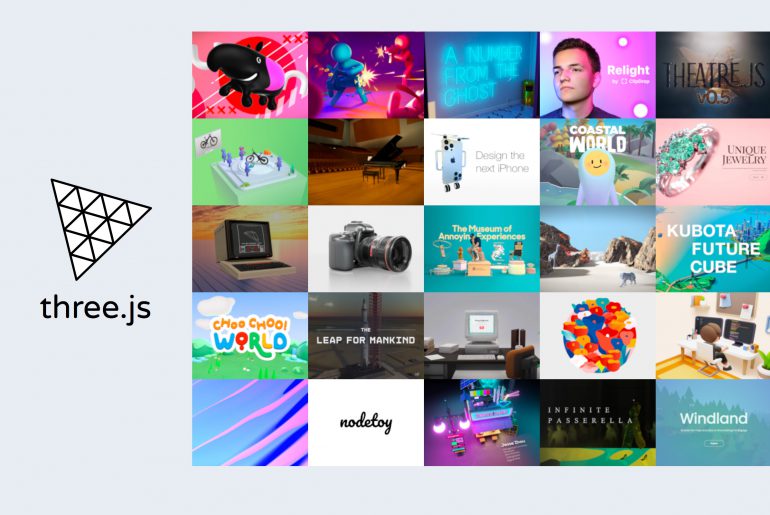
Many different types of websites use Three.js. It’s particularly popular in data, gaming, and art sites, but it’s suitable for the platforms of any business that can benefit from the integration of 3D graphics and interactive experiences on their websites. While Three.js is a simple and intuitive platform, using it might not be as easy for the regular joe. So employing Three.js developers for hire, who you can find on an online freelance marketplace like Guru, is the best way to leverage all the powerful tools of the library. What Is Three.js? But first, what is Three.js, anyway? Three.js is an open-source JavaScript library that enables users to design and create three-dimensional graphics and animations on a web browser. It can run GPU-powered objects, apps, and games straight from a browser, making it one of the world’s most popular frameworks for displaying 3D and interactive content online. What Is Three.js Used For? While Three.js is usually used to build and show 3D graphics, it’s also capable of performing a variety of related functions, including creating interactive visuals, games, and augmented reality experiences. Here are some of the common use cases of Three.js: Web Games Three.js can produce 3D web-based games, which allows for convenient immersive gaming experiences online. This means that Three.js can create websites that have games people can simply access on their computer’s browser. Data Visualization Three.js is also popular amongst data, education, and information sites (such as news platforms) because of its data visualization tools. You can use the platform to create interactive visualizations of info in 3D graphs, charts, etc. 3D Modeling Architects and engineers use Three.js to create 3D models of structures and objects, such as buildings. This allows them to visualize and manipulate their designs in real-time, which makes the process more efficient. Great outputs can then be displayed on their website to best show off their services. Product Showcases For some businesses, showcasing their products in 3D is the best way to focus on their unique selling proposition (USP). This is possible with Three.js, as it allows users to build interactive product showcases, which lets their market view what they offer more closely. Virtual and Augmented Reality Three.js is suitable for creating VAR experiences, such as virtual tours, allowing users to interact with scenes and objects on their browsers. You can even use other apps to create your media, then import them to the library for convenience; you just need to know how the Blender animation to Three.js process to do it seamlessly. What Websites Use Three.js? Three.js can technically be used for any type of website, but it’s especially beneficial among platforms that require 3D graphics and animations and interactive visualizations or experiences. Here are some examples of the types of websites that use Three.js: Gaming Websites Three.js is commonly used by gaming websites that want to offer in-browser experiences for their users. These can range from simple puzzle or strategy games to more complex adventure or multiplayer games. E-Commerce Websites Businesses can use Three.js to showcase their products in 3D, allowing customers to view and manipulate them in real-time. This is helpful if you’re selling products that are customizable or feature USPs that 2D models can’t focus on. Architecture and Engineering Websites Architects and engineers can use Three.js to showcase 3D models of their designs and build on an online portfolio. This allows them not only to showcase their work but to let clients view their projects better. Education, News, and Media Websites Three.js can be used to make interactive visualizations of information, stories, and educational resources. This enables readers to explore data and consume content in a more engaging manner. Marketing Websites Marketing companies can use Three.js for creative, engaging, and interactive marketing materials. You can use them for product demos, virtual tours, or service showcases. Design Websites Three.js is particularly famous among art and design websites that use the library to create immersive experiences. Some individuals even use Three.js to build and display their portfolios more impressively. Should I Use Three.js for My Website? Any website that can benefit from high-quality interactive 3D graphics, visuals, and animations should use Three.js. It lets you build jaw-dropping sites through an easy-to-use, cross-browser compatible, and efficient interface, backed with lots of community support. To get the most out of the open-source JavaScript library, it’s best to hire a professional Three.js developer from Guru—someone who has the necessary expertise and experience to navigate the platform and help you build the best website for your business. Hire a freelance Three.js developer from Guru today!
Blender Animation to Three.js
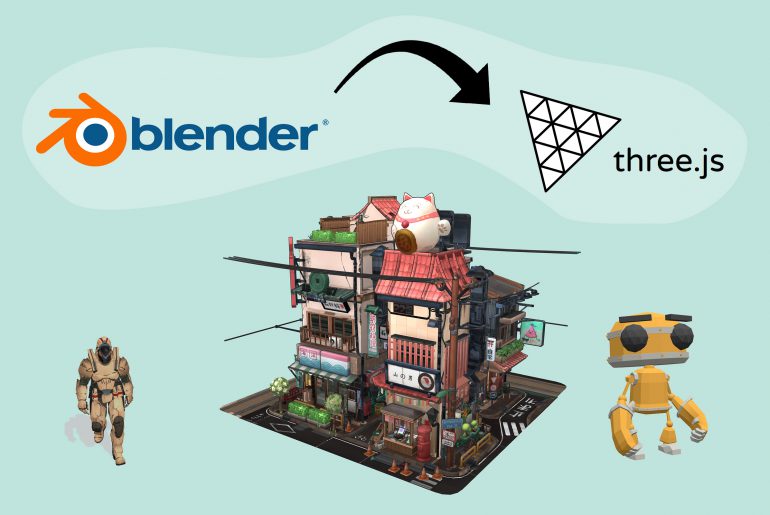
An eye-catching website is a great way to entice and engage a business’s target market. And while great design and seamless functionality work for top-notch user interface (UI) and experience (UX), it’s going to take a bit more to stand out from millions of sites on the web–this is where 3D graphics and animation come in. Blender and Three.js are two platforms that businesses can use to create complex 3D media and immersive web experiences on multiple devices. Blender is a 3D creation software and modeling suite that lets you animate life-like models, scenes, and characters, while Three.js is a JavaScript library that developers use to build and display 3D outputs on the web. Used together, these two can help businesses produce three-dimensional visuals and interactive scenes available on different browsers that can provide users with an unforgettable impression. The best way to maximize the powerful tools of both Blender and Three.js, it’s best to hire a Three.js developer from Guru that possesses the expertise and experience of working with both platforms and has the creative and professional capacity to bring your dream website to life. If you’re wondering if this is really needed for your website, it’s helpful to determine if you’ll benefit from using the outputs for your business. See for yourself what websites use Three.js, which includes industries like e-commerce, gaming, and education, and figure out if these models apply to you! Creating Animation on Blender for Three.js Here’s a step-by-step guide on how to create animation on Blender with Three.js in mind: Create the Model Make the 3D model or scene, whether it’s an object, character, or sequence. This step starts with drafting your project outside of the software (e.g. on paper), then involves adding meshes, lights, backgrounds, etc. to the model. Set Keyframes Keyframes define the beginning and end points of an animation. In Blender, you can set keyframes by selecting a property, manipulating the timeline, and setting values. Define the Curves Animation curves determine how properties change over time. You can define these in Blender by visualizing and editing the curves, usually through the Graph Editor. Preview and Refine Once you’re done with your animation, preview it to see if everything’s moving and working as you envisioned. If not, refine and revise it accordingly. Be sure to check the limitations of the format to ensure that it imports correctly to Three.js later on. Render the Animation When you’re happy with your work, render the animation by toggling the render settings and output options in Blender. You can render it as a single video file or as a series of stills. Exporting Blender Animation With your Blender animation ready, it’s time to export it to be ready for Three.js. First up, make sure that you have the latter set up; you’ll also want to have the Three.js Exporter Add-on installed so that you can export your work in the Three.js JSON format. Export your animation through the settings, then choose which properties to include, set the frame rate and duration, and pick other relevant formats. When it’s out as the JSON file, you can then load it to Three.js. Importing Blender Animation to Three.js The THREE.JSONLoader() method is the most common way to import a Blender animation to Three.js as it lets you load the JSON file to the platform and create objects from there. Once you’ve successfully imported your Blender animation to Three.js, you can create a Three.js animation by setting up the necessary components, now using the platform’s animation methods to manipulate properties in the scene. After animating on Three.js, you can then add your finished output to a webpage by embedding it in an HTML element or using a library like jQuery to load it asynchronously. Hire Expert Three.js Developers on Guru Using Blender and Three.js is an efficient way to create impressive 3D graphics and animations to use for web applications and platforms. If you’re in a business that can benefit from a website that uses these models, then it’s time to hire expert Three.js developers on Guru to help you maximize the features of both software. A Three.js developer who has experience in Blender can be a creative and technical guide who can bring your dream website to life, ensuring that visuals are on point and your platforms continue to perform excellently with the additions. Hire a Three.js developer on Guru today!
What Is Three.js?
It’s crucial for businesses nowadays to build websites that are just as impressive as they are functional. Three.js is a great way to do just that. But what is Three.js? Three.js is an open-source JavaScript library to create and display three-dimensional graphics on the web. It lets you make interactive 3D graphics and animations that can be rendered in a web browser, so you can easily add 3D scenes, texture and lighting, and interactive objects to your website. To get the most out of Three.js, and to ensure that the designed graphics work seamlessly on your platform, it’s best to Guru to do the job. What Can Three.js Do? Three.js is a powerful library of tools and functions that allow developers to perform a wide range of tasks related to 3D web graphics and animations. If you’re wondering, it’s commonly applied to tech, gaming, and media platforms that need eye-catching and interactive experiences on their sites. Here are some of the things Three.js can do: Create 3D Scenes Three.js comes with a comprehensive set of tools that enable geometry creation, material definition, and lighting manipulation. With the library, developers can build complex three-dimensional scenes with different objects, textures, and lighting effects. Design Animations Animations are visual effects that simulate the movement and scaling of objects. With Three.js, developers can apply these to objects in a scene, and even design more complex outcomes; for example, they can make objects look fluid, like they’re moving like water. Produce Interactive Objects Three.js lets developers build interactive scenes on a website. You can develop experiences such as games or online tours as it supports user interaction and input. Render 3D Graphics Three.js uses WebGL API, which allows it to render 3D graphics in real-time, making for smooth and high-quality outputs. It supports a variety of tendering techniques, including shadows, reflections and refraction, and transparency. Import 3D Models Developers can import 3D models from different file formats (e.g. OBJ, FBX, and Collada) with Three.js. That way, they won’t have to keep creating assets they’ve already made before, saving time and effort. Benefits of Three.js Three.js is an easy-to-use platform backed with lots of support that promises high-quality outputs at excellent performance rates. Here are some of the reasons why you should implement its tools on your website: Ease of Use Three.js has a straightforward and intuitive API, making it easy for developers to focus on the creative aspects of the project rather than get hung up on the technical details of the tasks. The interface also works across multiple browsers and platforms, ensuring that the outputs created using Three.js can be viewed and used on a wide range of devices. High Performance Three.js can be used to create a variety of 3D graphics and animations, allowing developers to accomplish any kind of project to the specific needs and requirements of businesses. And no matter how complex the project, the platform ensures smooth frame rates thanks to the power of WebGL for hardware-accelerated rendering. What Is a Three.js Developer? A Three.js developer is an expert in using the Three.js library to create 3D web graphics and animations. They’re typically web developers who have a background in coding languages and JavaScript and experience in 3D modeling and rendering. On a project, Three.js developers are assigned to create 3D scenes and experiences, develop interactive outputs, optimize website performance (concerning the addition of their projects), and debug and test platforms that have applied their Three.js applications. Should I Hire a Three.js Developer? If you’re a business that hopes to create and sustain an impressive and functional website with 3D graphics, you should hire a Three.js developer. A Three.js developer can provide a ton of value to your team through their expertise and creativity in the field of 3D graphics and animation. They can translate client briefs into working scenes that they can apply seamlessly to your platforms, ensuring that they perform optimally in all situations and devices. That way, you end up with unique three-dimensional and interactive websites that can best represent your business and services. Hire a Freelance Three.js Developer From Guru When hiring a freelance Three.js developer, you must be sure that you’re choosing the right candidate who has the background, skills, and creativity to bring your ideas to life. Guru, one of the best online freelance marketplaces, has multiple vetted professional candidates who can fit the bill. Hire a freelance Three.js developer in just a couple of steps today!